No software needed
View STEP / STP files in the browser without a desktop CAD environment.
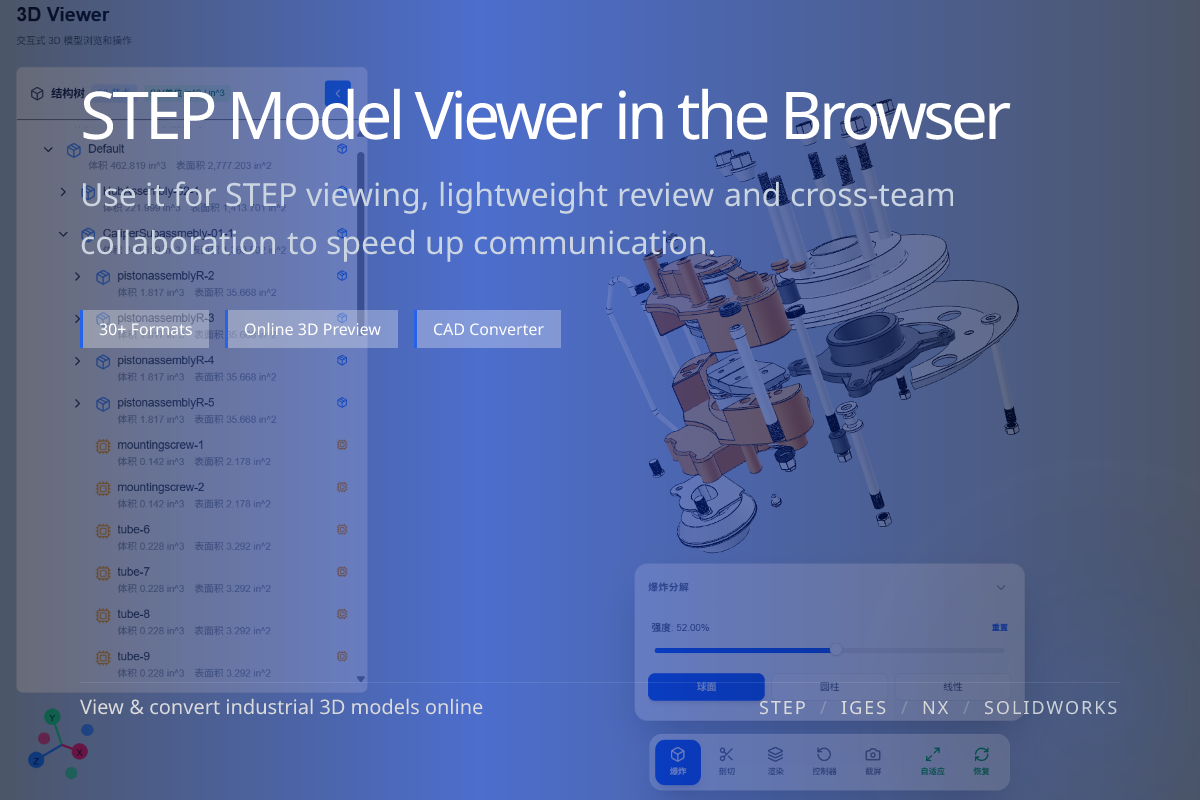
Opens .step / .stp directly in the browser — no software to install.
Open and preview STEP / STP engineering models directly in your browser. Inspect assembly structure, part hierarchy and colors before review, sharing or conversion. No CAD software required.
View STEP / STP files in the browser without a desktop CAD environment.
Browse part hierarchy, structure and overall geometry of the model.
Once confirmed, convert STEP to glTF, OBJ, STL or FBX downstream.
When you need to quickly confirm whether a STEP file is complete and the assembly is correct before further work.
For sales, clients, project managers and partners without local CAD, the online viewer removes a major friction point.
Ideal for design, manufacturing, pre-sales, procurement and project roles that just need to confirm a model.
If your goal is to verify the model first rather than export it, viewing beats jumping straight to conversion.
The viewer is about confirming the source model for review and communication.
STEP to glTF is about producing a web-ready deliverable. Confirm first, then convert.